
Confirm that the receiver is affected
Make a normal call at your ear, then compare music and speakerphone. Muffled calls with clear media point to the top receiver. If all output is muffled, use a broader diagnosis.
Disconnect Bluetooth before testing and remove a screen protector or case that overlaps the upper opening.
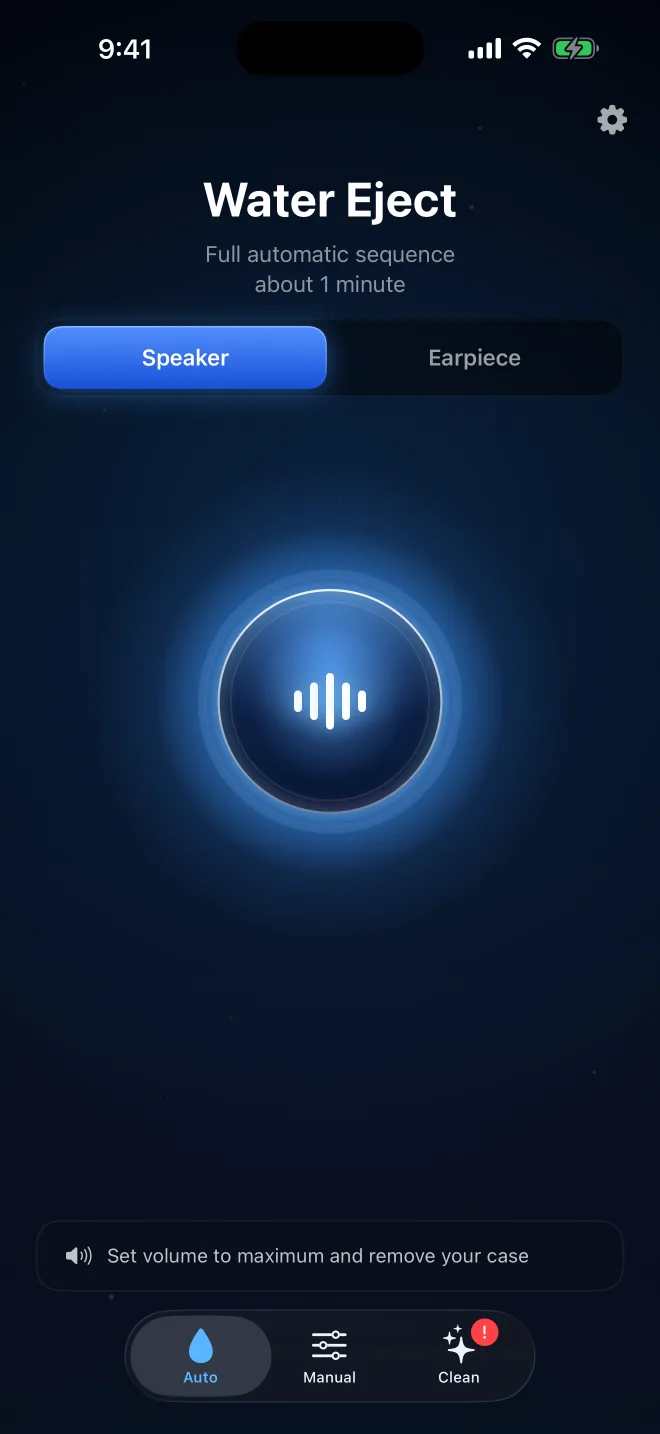
Route sound to the earpiece
Ordinary media playback primarily uses the loudspeaker path. Choose a tool that explicitly labels the receiver or earpiece. Verify that the sound is coming from the top edge before increasing volume.
Correct routing prevents repeated bottom-speaker playback that never reaches the wet cavity.
Position the top opening downward
Wipe the exterior with a soft, lint-free cloth. Angle the top edge downward over the cloth. Do not shake aggressively or press paper into the opening.
Downward positioning gives moved droplets a path away from the receiver.
Run one controlled sequence
Use a strong but comfortable volume and let the defined sequence finish. Stop if crackling becomes harsh or mechanical. Wipe away any exterior moisture and allow airflow.
A second run is useful only when the first clearly improved the same call or recording.
Inspect for blockage after drying
If calls remain muffled once the phone is dry, inspect the receiver under good light. Apple recommends removing obstructing cases and using a small, clean, dry, soft-bristled brush when necessary.
Do not use liquid cleaner, compressed air or stiff tools. See Apple’s receiver troubleshooting.
Know when the receiver needs service
Seek evaluation for no sound, severe persistent crackling, unchanged distortion after drying or other device symptoms. A normal bottom loudspeaker does not rule out receiver damage.
Recheck with a controlled call test
After the phone has had drying time, make a short call in a quiet room with Bluetooth disconnected. Begin at moderate call volume and compare the receiver with speakerphone. Clear speakerphone audio paired with a muffled call at the ear isolates the problem more convincingly than music playback alone. Also remove a case or screen protector that overlaps the receiver opening. If call quality improves only temporarily, or crackling returns without new water exposure, stop repeating tones and arrange an inspection for residue or component damage.
Do not use a pin, swab or compressed air around the narrow receiver slot. The opening is easy to damage and foreign material can be pushed behind its mesh. Once fully dry, only loose surface debris should be addressed with a clean, soft brush.
Questions about clearing water from the iPhone earpiece
Is the earpiece the same as the top speaker?+
In this context, both terms refer to the receiver near the top of the display used for calls at your ear.
Why doesn’t a YouTube sound clear it?+
Standard video audio follows the media path and may not explicitly target the receiver.
Should I use a higher frequency?+
Higher is not automatically better. Correct routing, comfortable volume and downward positioning matter first.
Can I brush the earpiece?+
Only once dry and only with Apple’s recommended small, clean, dry, soft-bristled brush when cleaning is necessary.