
First, is the problem really the speaker?
Do a quick diagnosis before playing any tone. Start ordinary audio and confirm it is routed to the iPhone rather than Bluetooth, AirPlay, headphones, or a car system. Raise the media volume. Remove the case if it overlaps a grille.
Then identify the symptom:
- Music and speakerphone are muffled: the bottom loudspeaker is the likely target.
- Calls at your ear are muffled but music is clear: focus on the top receiver.
- No sound plays anywhere: check output routing, Silent mode, volume and system sound before treating it as trapped water.
- A liquid-detection alert appears: the connector needs its own drying process; speaker sound does not clear a port.
What should you do before running Water Eject?
Disconnect all cables and accessories. Remove the case. Wipe the exterior with a soft, lint-free cloth and keep liquid away from buttons and openings while handling the phone. Place the affected speaker downward toward a lint-free cloth.
Do not insert tissue, cotton swabs, pins, or other objects into a grille or connector. Do not use external heat or compressed air. If the exposure involved a drink, salt water, soap, or dirty water, treat it as a contaminant problem rather than assuming sound is the complete answer.
How do you run the sequence?
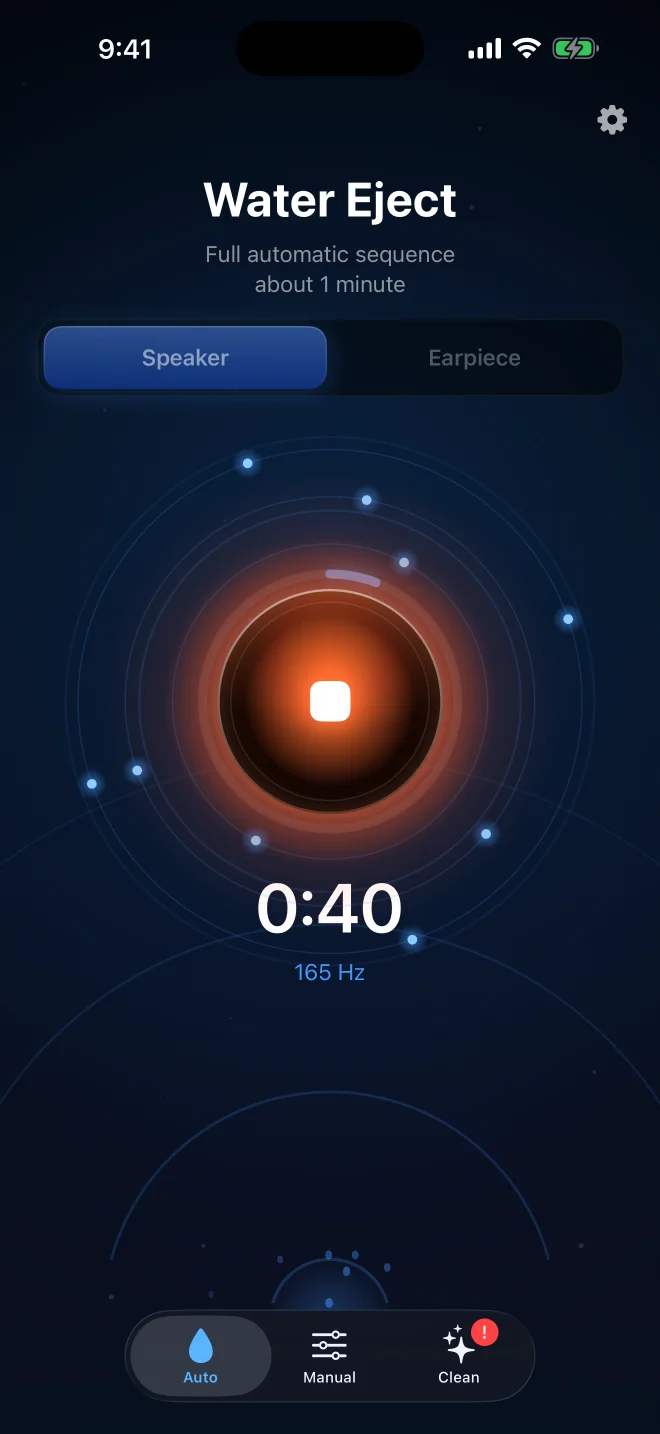
Select the output that matches the symptom. Set a strong but comfortable volume and run one full automatic sequence. With Water Eject, the automatic mode uses pulsed low-frequency sound, sweeps, and synchronized vibration. Manual mode lets you choose the output and tone directly.
Watch the opening rather than chasing a dramatic spray. Small droplets may collect at the grille or on the cloth. Wipe the exterior gently. If the sound becomes clearer during the run, that change supports the idea that water was affecting the cavity, but it does not prove the rest of the phone is dry.
What should you do immediately afterward?
Leave the phone with the affected opening downward in a dry area with airflow. Give it time before judging the final sound. Water can temporarily degrade speaker or microphone performance until it evaporates; Apple describes this in its water-resistance and wet-speaker guidance.
Keep wired charging and accessories disconnected until the phone is dry. Apple’s guidance says to allow at least five hours before wired charging after general liquid exposure, while a liquid-detection alert may require repeated checks over a longer period. Follow the alert shown by the phone rather than a generic timer.
Should you run Water Eject again?
A second run can be reasonable when the speaker still works, droplets moved during the first sequence, and the sound is improving. Wipe the phone and allow a pause first. More repetitions are not automatically better.
Stop and switch to drying or service evaluation if there is no change, the speaker cannot reproduce the tone, or crackling becomes harsher. A speaker tool depends on a functioning speaker; it cannot diagnose a torn component or electrical fault.
When is cleaning more appropriate than water ejection?
If the phone is dry but the opening looks blocked, the issue may be lint or debris. Apple advises removing cases and films, checking the openings, and using a clean, dry, soft-bristled brush if cleaning is necessary. See Apple’s distorted-speaker troubleshooting.
Do not claim that a low-frequency water sequence removes embedded grime. Water and debris are different physical problems. Water Eject includes a separate Deep Clean pattern for loose particles, but physical blockage may still need careful cleaning or service.
When should you seek service?
Move beyond speaker-only troubleshooting when the iPhone has persistent silence, severe crackling, heat, unexpected shutdowns, display changes, camera fogging, charging failure, repeated liquid alerts, or problems that continue after thorough drying. Those signs suggest the incident may involve more than droplets at a grille.
A water-eject sequence is a focused first action. It is not a test of internal dryness and should never delay appropriate device care.
Questions about ejecting water from iPhone
Does water ejection work on every wet iPhone?+
No. It may help a working speaker with droplets in its audio cavity. It cannot reach internal moisture, remove contaminant residue, restore damaged seals, or repair failed hardware.
Should the speaker face up or down?+
Face the affected opening downward toward a lint-free cloth so gravity can help water move away from the phone. Wipe away droplets that reach the exterior.
Can I charge the iPhone after running Water Eject?+
Not until the phone and connector are dry. Apple advises unplugging cables after liquid exposure and waiting until the device is completely dry before wired charging or connecting an accessory.
What if the speaker is still muffled afterward?+
Allow airflow and drying time, then reassess. Check whether the correct output was targeted and whether the grille is blocked. Persistent silence, severe crackling or other device symptoms can indicate a problem that needs service.